Purpose-built for Outside School Hours Care
Empower your service with our software suite designed to simplify OSHC service management, ensure child safety and offer families unparalleled peace of mind.
- Simply manage requests, absences, cancellations and casual bookings
- Accurate roll management with simplified visibility over multiple rooms and targeted filtering
- OSHC-specific learning frameworks in Playground (educator platform)
- NQF-compliant software suite to help your OSHC service thrive
Customised all-in-one product suite for OSHC providers
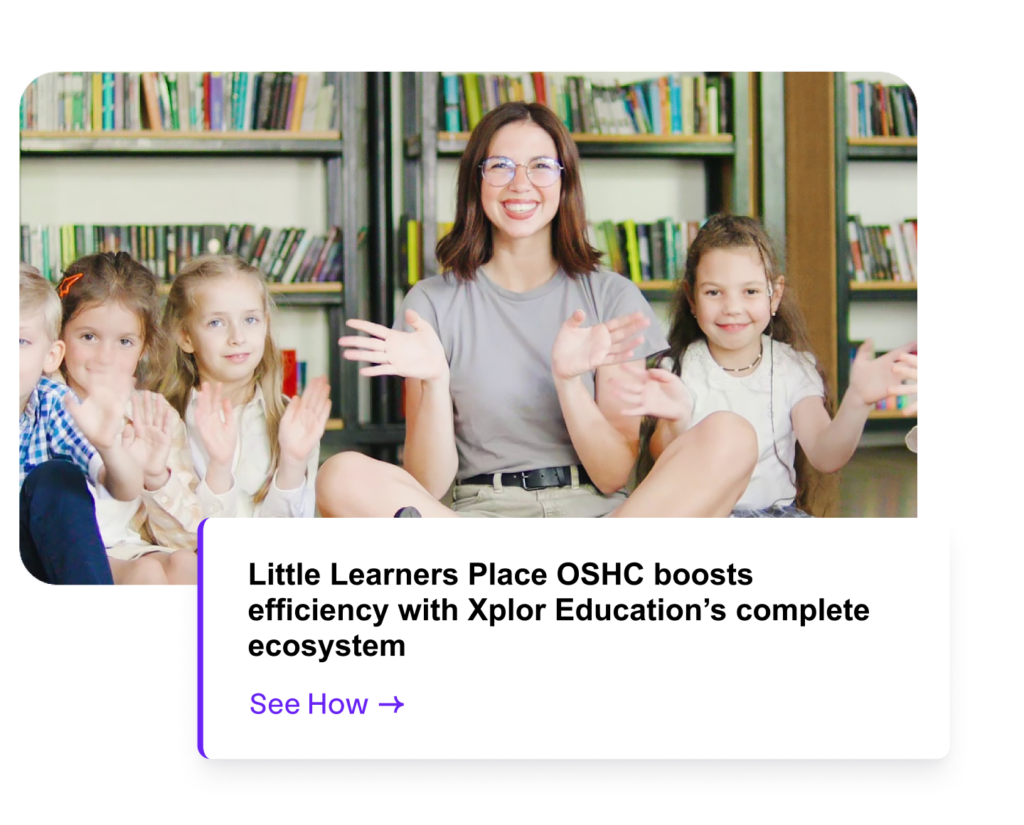
Our suite of tools has been designed with OSHC needs in mind. From booking and roll management to OSHC-specific learning frameworks (like My Time, Our Place 2.0) and a focus on keeping every child safe, Xplor Education provides you with the tools you need to run your service more efficiently.
Better booking management
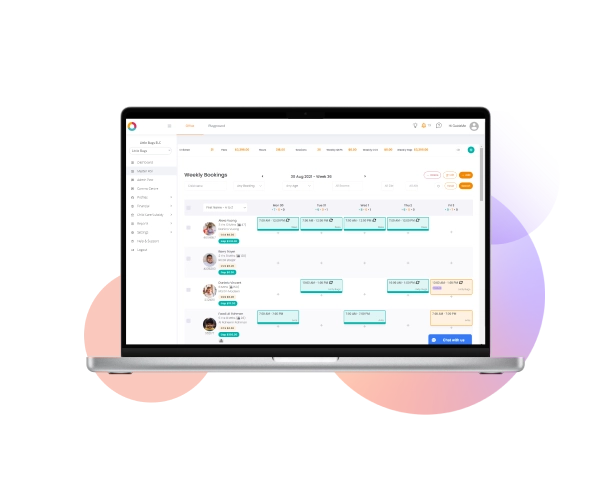
Enhanced administrative tools make capturing requests, managing absences and handling cancellations effortlessly efficient.
- Services can set up the room capacity for multiple days to limit additional casual bookings and better allocate staff resources
- Families can make casual bookings and notify you of absences quickly and easily from the Home family app
- Booking requests from Home sync with Office so your numbers are always current
Simplified cash flow
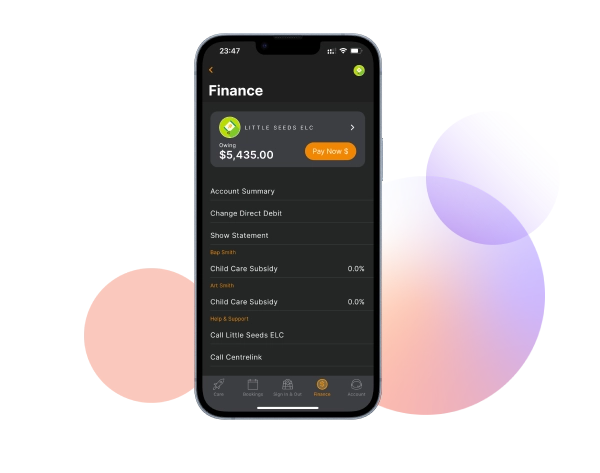
Xplor Pay, our payment platform, enables you to easily manage your finances with a fully-integrated payment infrastructure and comprehensive debt management solutions.
- Flexible integrated payment options via Xplor Pay to meet families’ needs
- Families can set up direct debit for worry-free payments or make ad hoc payments at their convenience
- Live Government sync shows CCS estimates in real time on both the Master Roll and in statements
Constant visibility on child safety
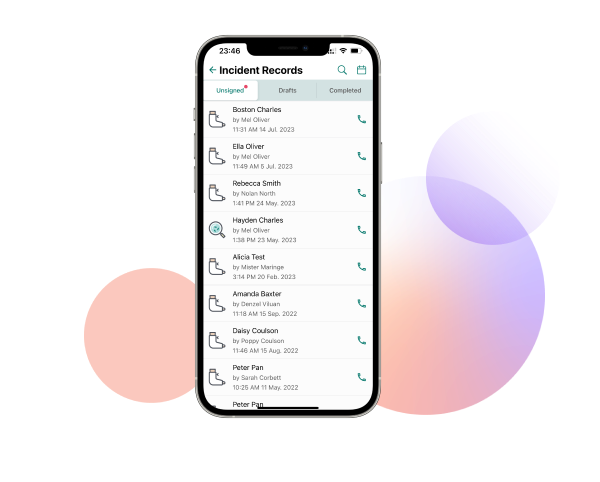
Data syncs across platforms ensuring a single source of truth for staff and families, keeping everyone informed and ensuring the utmost safety of every child whether at the service or on an excursion.
- Easy reporting on head counts, transport lists, emergency evacuations, drill evacuations and incidents reports
- Educators can share incident and injury details via Home (our family app)
- Comms Center and Messenger ensure families get the info they need and can reach out to educators when necessary
Xplor Education—Empowering
OSHC Management
Experience a holistic approach to Out of School Hours Care (OSHC) management. Harness the power of state-of-the-art features designed to streamline bookings, simplify finances and prioritise child safety.
What’s New and Improved
Q2 2026 Release
Booking Manager
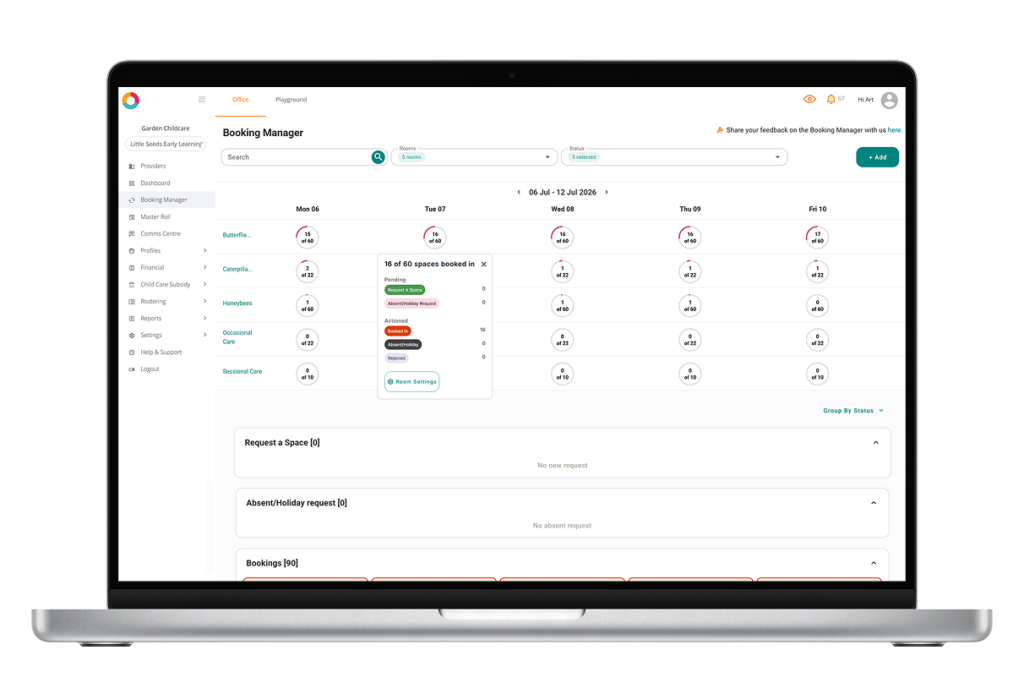
Big Booking Manager updates have landed in Office built to save your OSHC team serious time.
- Date-range booking rules: vacation care bookings now automatically close at the end of the holiday period. No more bulk deleting from Master Roll.
- Families can instantly book casual spots (or join a wait list when full) via the Home App — no more phone calls or manual entries — and get a confirmation email showing exactly what's booked, waitlisted, or unavailable.
- Instant absences: families mark a child absent in the Home App and it flows straight through to Playground and Master Roll in real time.
- See individual child requirements (allergies, additional needs, staffing ratios) before approving a casual booking, so you're making informed decisions, not reactive ones.
- Set individual room cut-off times to control notice periods and give your team time to roster the right staff for ratios.
- Encourage families to enable push notifications in the Home App so they get instant updates on booking approvals.
- Need help configuring Booking Manager for your centre? We offer free one-to-one training — reach out to get started.
Attachment Hub
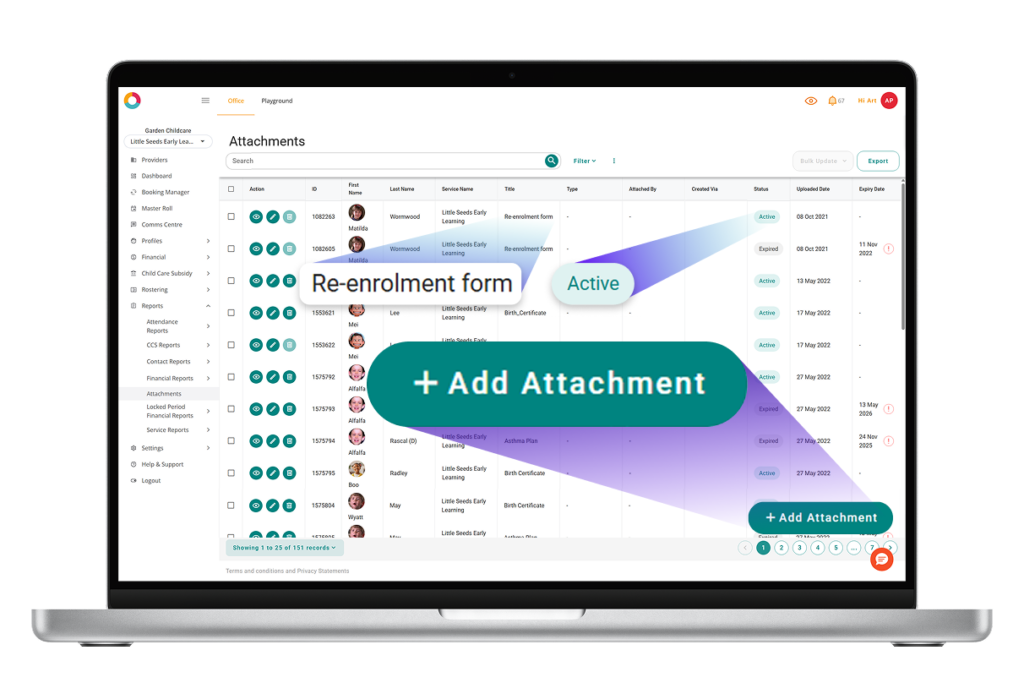
Categorise, track and manage children's compliance documents across your whole service in Office, as well as choose what's shared with educators in Playground.
- Tag documents by type on the child profile for better organisation, reporting and management
- A provider-wide view with search, filters and status (active / expiring soon / expired)
- Bulk updates, CSV export, and one-click comms to the right families
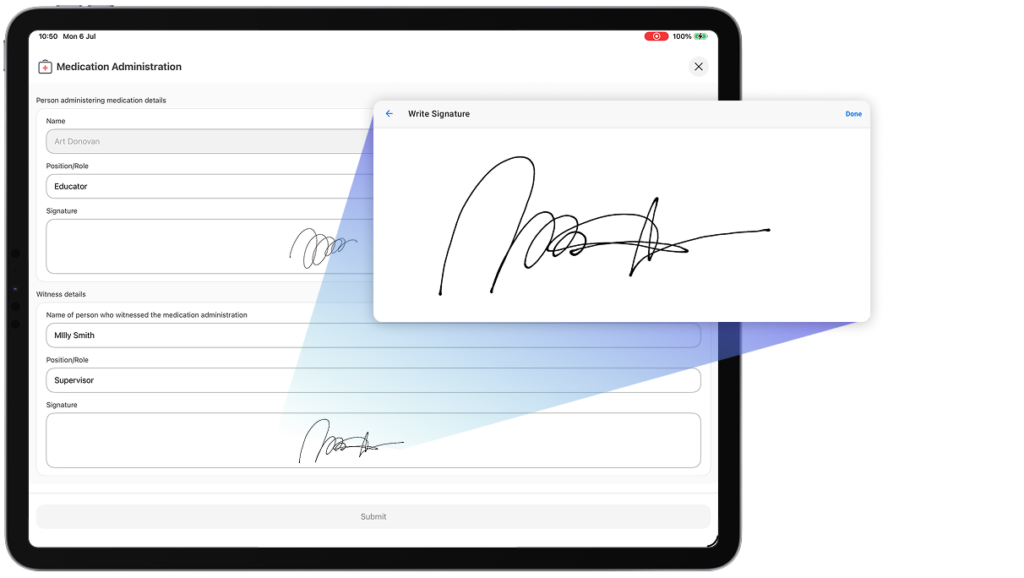
Medication Administration
Capture digital signatures for both the administering educator and the witness right in the app. This ensures your records meet compliance requirements, so you can transition away from paper forms.
Features
The ultimate solution for all your OSHC service management needs
With Xplor Education’s suite of tools, you can spend less time on administrative tasks and more time delivering exceptional care.
Experience secure and seamless communication across platforms
Boost productivity with enhanced speed, reliability, and security
Single team provides you with expert onboarding, training and support
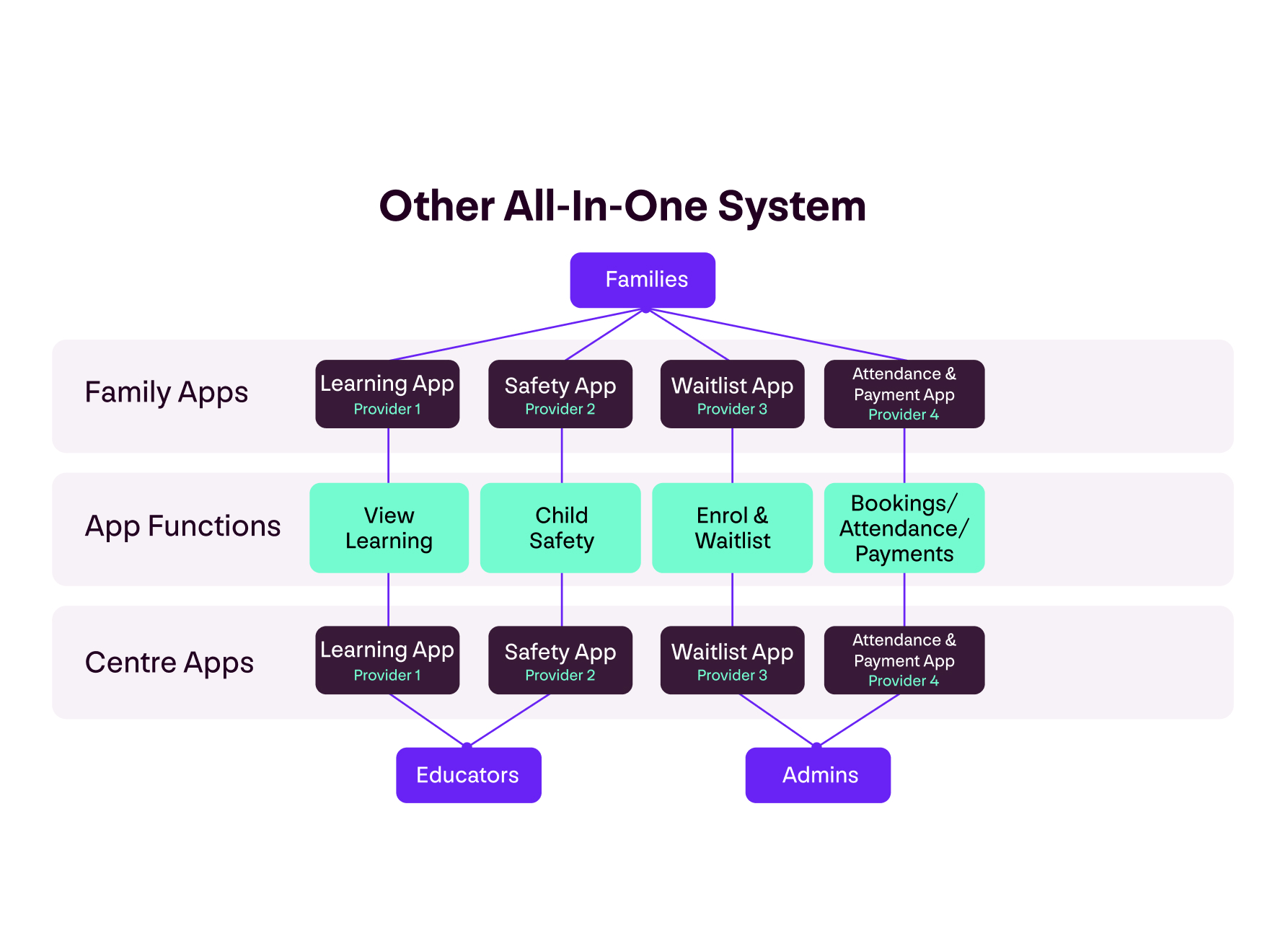
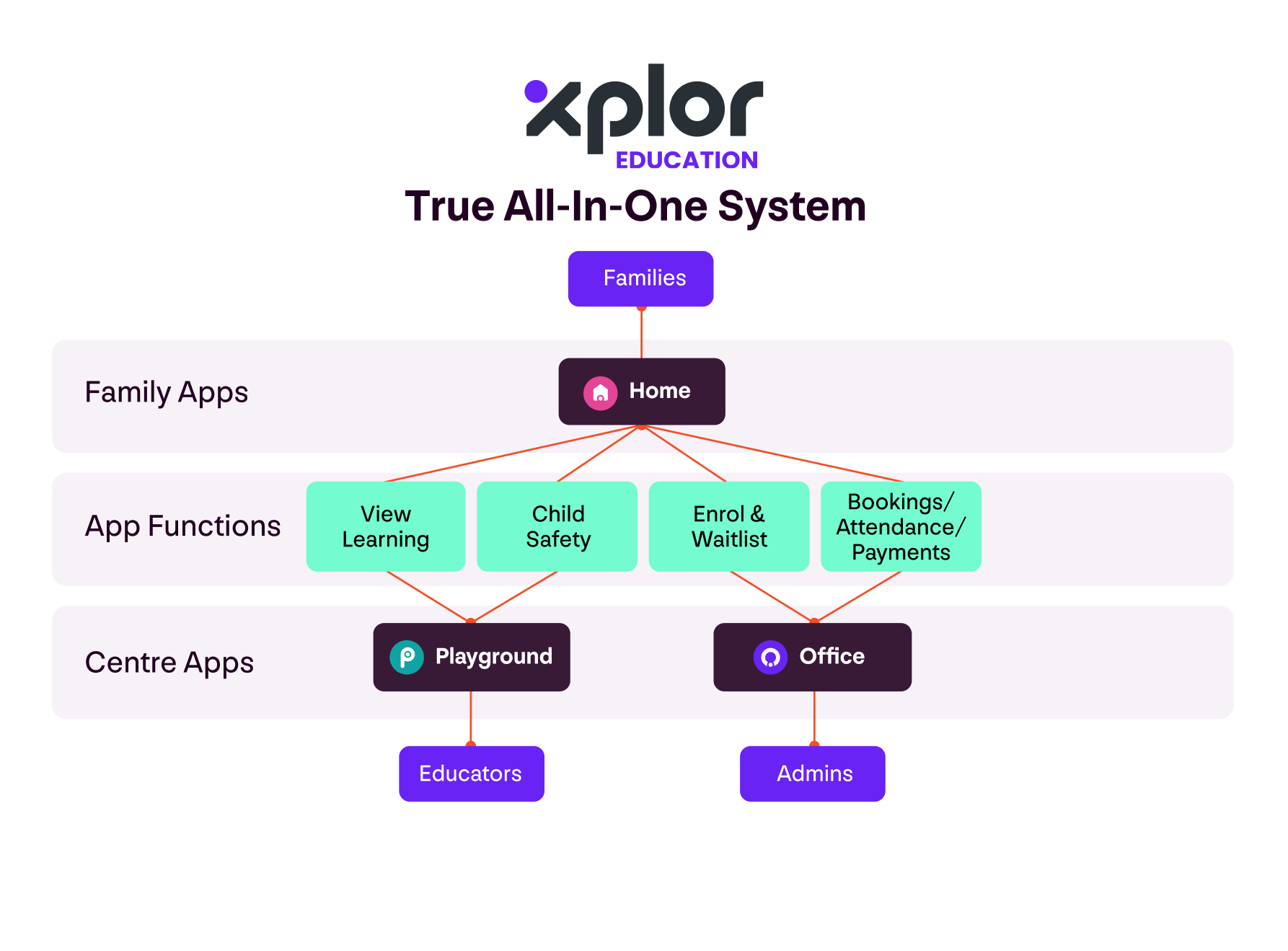

Xplor Education—your OSHC
program’s trusted partner
Save time and automate administration for your OSHC service with Xplor Education’s comprehensive management suite.